I wanted an SMS proxy that I actually own. Nothing in the cloud, no API keys that expire, no vendor quietly changing their pricing or verification rules and breaking my alerts on a Tuesday morning.
What I was after wasn’t complicated. Take a USB modem with a SIM in it, put it on the network so I can reach it over TCP, throw AT commands at it from a tiny API, and get a clear “yes, I sent that” back from the modem for every message. That’s it.
Most of this post is really about the modem itself - the firmware, getting serial access, poking at it with diagnostics, and finally getting an SMS out. Home Assistant shows up at the end, but honestly it’s just one thing that happens to talk to the proxy. You could point anything at it.
Before diving in, here’s the whole thing on one picture. The API and ser2net run on a single Raspberry Pi, the modem is plugged into it over USB, and clients reach the API over the LAN - which includes some off-grid locations wired in over VPN:
flowchart TB
    subgraph clients["Clients — reach the API over LAN + VPN"]
        HA["Home Assistant"]
        other["Other clients / curl"]
    end

    subgraph rpi["Raspberry Pi"]
        API["Python API<br/>http.server :8080<br/>POST /send · GET /health"]
        SER["ser2net :2000"]
    end

    MODEM["Huawei E3372s-153<br/>stick mode · /dev/ttyUSB0"]
    GSM["GSM / cellular network"]
    PHONE["Recipient phone"]

    HA -->|"HTTP POST /send"| API
    other -->|"HTTP"| API
    API -->|"AT commands over TCP"| SER
    SER -->|"serial over USB · 115200n81"| MODEM
    MODEM --> GSM
    GSM --> PHONE
Why bother
The default answer here is Twilio or one of the other SMS APIs, and yes, I tried that first.
It was fine for a while. Then the free credits dried up, the account verification turned into its own little side quest, and I realized I just didn’t want my “the house is on fire” notifications riding on top of somebody else’s SaaS that could change under me at any moment.
So I went looking for something local, cheap, and - my favorite word for infrastructure - boring.
Digging out the old modem
I had a Huawei E3372-153 sitting in a drawer, one of those USB sticks everyone had at some point. Stuck a SIM in it, and the web panel happily showed incoming SMS. If it can receive, I figured, it can probably send too. I just had to reach the part of it that does the sending.
I spent an evening reading old forum threads and half-dead community wikis, and the picture came together like this. Out of the box the stick runs in HiLink mode, which basically turns it into a tiny NAT router - friendly, but it hides everything I actually wanted. Switch it to stick (modem) mode and it starts exposing serial interfaces under /dev/ttyUSB*. And once you’ve got a serial interface, you’ve got AT commands, which is the whole game - that’s how you drive SMS directly.
So I flashed it over to stick-style firmware, fired up Minicom, and typed the most anticlimactic command there is:
ATand it answered:
OKTwo characters, and I knew the rest was going to work.
About the firmware
I’m going to be a little vague here on purpose. Flashing an E3372 from HiLink to modem mode has been written up to death already, and there’s no point in me producing yet another step-by-step that goes stale the moment a download link rots.
The guide I actually followed is this one, and it’s a good reference:
It links out to the precompiled binaries and firmware people pass around for the stick-mode switch. I used those files myself - but I’ll be honest, I didn’t read through what’s inside them, and this is very much sketchy-download territory. So: your modem, your risk.
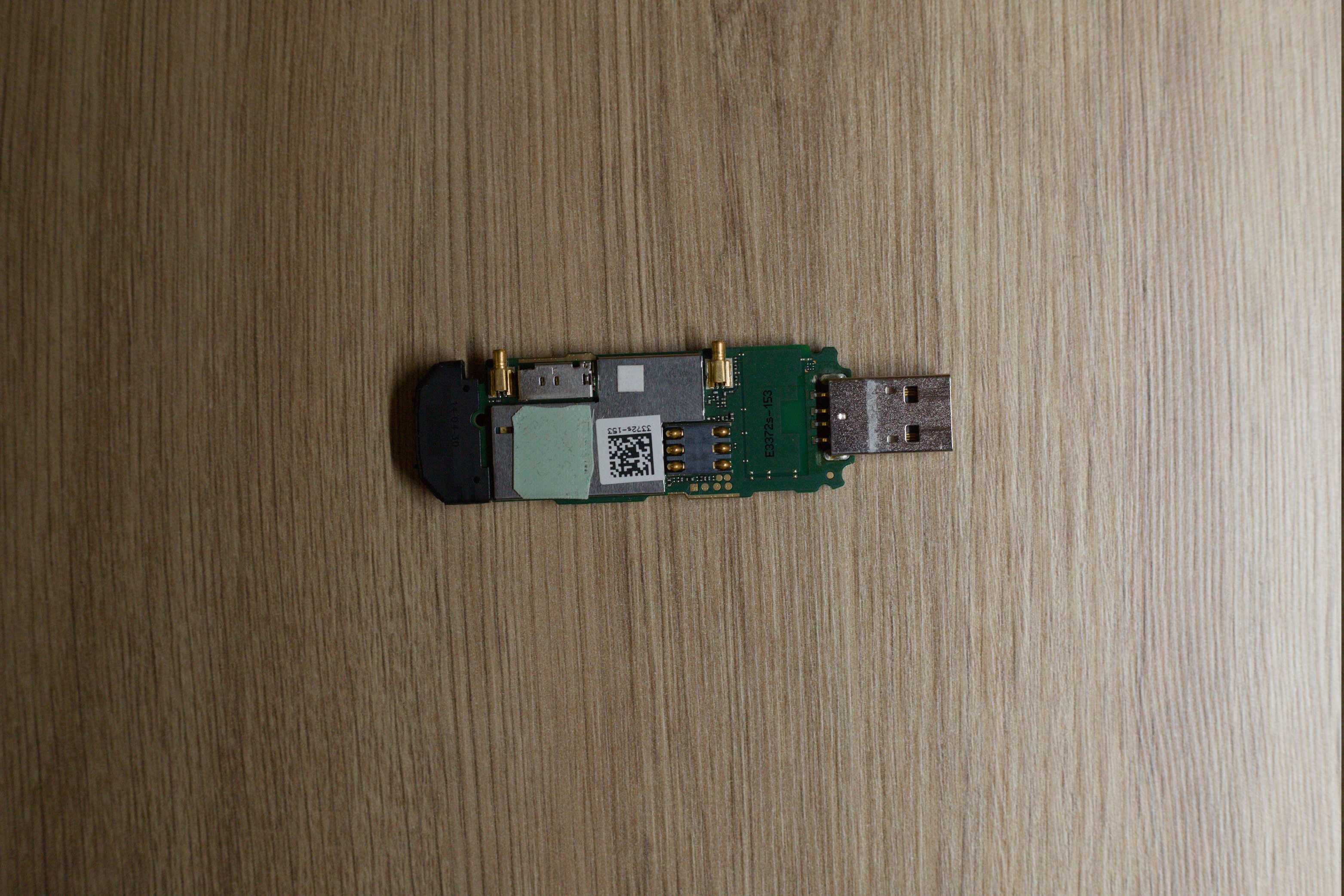
Checking the modem didn’t die in the process
Flashing anything is a small gamble, so before building anything on top of it, I wanted to be sure I hadn’t turned the stick into a paperweight.
Start with the obvious question - are the serial interfaces even there?
ls /dev/ttyUSB*If you see ttyUSB devices show up, good, open Minicom against one of them:
sudo apt install minicom
minicom -D /dev/ttyUSB0 -b 115200
From there I walk through a quick sanity sequence. It looks like a lot, but each line is just asking the modem one small question:
AT
AT+CPIN?
AT+CCID
AT+CREG?
AT+CGREG?
AT+CGATT?
AT+CSQ
AT+COPS?
AT+CSCA?
AT+CPMS?
AT+CSMS?
AT+CMGF=1
AT+CSCS="GSM"
AT+CMEE=2
AT+CMGS="+48123123123"
Here’s roughly what a healthy modem gives you back:
ATanswers withOKAT+CPIN?comes back+CPIN: READY(the SIM’s unlocked and happy)AT+CCIDspits out the SIM’s ICCIDAT+CREG?shows0,1if you’re on your home network, or0,5if you’re roamingAT+CGATT?returns+CGATT: 1AT+CMGF=1,AT+CSCS="GSM"andAT+CMEE=2each answerOKAT+CMGS="..."should drop you to a>prompt, waiting for the message body
Actually sending one from Minicom
Once diagnostics look clean, sending a test message by hand is straightforward. This is the exact dance:
AT+CMGF=1
AT+CSCS="GSM"
AT+CPMS?
AT+CMGS="+48123123123"
> test message
<Ctrl+Z>
That Ctrl+Z at the end is what tells the modem “okay, ship it.” If it worked, you get:
+CMGS: 191The number is just a message reference id - the point is that the modem took the message and handed it off.
Wiring it into Home Assistant
Here’s the problem I was really trying to solve. Home Assistant was firing off notifications just fine, I just couldn’t count on them landing on my phone.
Sometimes I’d forget to flip the VPN on. Sometimes I’d be somewhere with garbage signal. Sometimes mobile data just… didn’t. And there’s a nastier failure mode lurking underneath all that: if the power drops at home, the UPS eventually gives up, or the internet line goes down, then Home Assistant has no way out to reach a cloud SMS API at all. Exactly the moment I’d want an alert is the moment the whole path is dead.
GSM, though, tends to still be standing when everything else has fallen over. So the plan more or less wrote itself - push the important alerts out as plain SMS through a local modem with its own SIM.
My first attempt was held together with tape, honestly: socat, a pile of firewall rules on OPNsense, and a Bash script that Home Assistant would poke. It worked, but I never loved it.
What I landed on is a lot calmer: the modem plugs straight into a Raspberry Pi, ser2net runs on that Pi, and a small Python API sits in the middle, translating between Home Assistant and the modem.
The nice thing about ser2net is that it takes the modem’s serial port and just publishes it over TCP on the local network. After that, anything that can open a socket can send AT commands - no need to be physically plugged into the box the modem lives on.
Getting ser2net up is quick. Install it:
sudo apt install ser2netDouble-check which device your modem actually is:
ls -l /dev/ttyUSB*Then open /etc/ser2net.yaml, clear out the default connection blocks it ships with, and drop this in:
connection: &serial1
  accepter: tcp,0.0.0.0,2000
  connector: serialdev,/dev/ttyUSB0,115200n81,local
Restart it, and enable it so it survives a reboot:
sudo systemctl restart ser2net
sudo systemctl enable ser2net
And that’s the whole thing. The modem’s AT interface is now sitting on TCP port 2000, and I’ve got a little local SMS proxy that any automation - Home Assistant included - can lean on when the internet decides to take the day off.
printf 'AT\r' | nc localhost 2000
# OK
An unexpected side effect
Here’s the bit I didn’t plan for. Once the modem was in stick mode and I had full serial access to it, I realized it wasn’t just an SMS device anymore - it was a perfectly good cellular WAN. So I plugged it straight into the box running OPNsense, set up a PPP interface over it, and suddenly I had a backup WAN sitting behind my main fiber line. If the fiber ever dropped, the router could fail over to LTE and keep the house online.
And it was great. For a long time this ran happily alongside everything else - back then socat lived on the same OPNsense machine, so the whole SMS path and the failover WAN shared one box. It genuinely saved my ass a few times too: I’d be working remotely, the fiber would hiccup, and instead of losing access to everything at home the router would quietly slip over to LTE and I wouldn’t even notice until I checked the logs later.
Then one of the more recent OPNsense updates shipped breaking changes to how it handles PPP connections, and the modem just… stopped playing nice. It refuses to come up as a WAN interface now, and honestly I haven’t found the motivation to sit down and untangle whatever they changed. Maybe one day. For now the LTE failover is dead, the SMS proxy moved off to its own Raspberry Pi anyway, and I’ve made my peace with it. Some side effects are nice while they last.
The little API in the middle
I kept mentioning “a small Python API” - here’s what it actually is. Nothing fancy, just the standard library http.server, no framework, no dependencies. It sits between whatever wants to send a message and the raw AT interface on ser2net, so Home Assistant (or curl, or anything else) never has to know about serial ports or Ctrl+Z.
It exposes exactly two endpoints, which is all I ever needed:
POST /send- takes a phone number and a message, walks the modem through the full AT sequence (AT,AT+CMGF=1,AT+CSCS="GSM", theAT+CMGSprompt, then the body terminated with Ctrl+Z), and hands back what the modem said at each step. There’s a lock around the modem so two requests can’t stomp on each other, and a length check so I don’t accidentally try to cram a novel into a single GSM SMS.GET /health- a cheap liveness check. It just tries to open a socket toser2netand tells you whether the modem is reachable. Handy for monitoring, and it’s what tells me the whole path is alive without actually sending a message.
A /send request looks like this:
curl -X POST http://raspberrypi.local:8080/send \
  -H "Content-Type: application/json" \
  -d '{"phone_number": "+48123123123", "text_message": "UPS on battery"}'
and on success you get back the number, the message, the commands it ran, and the modem’s raw responses - which is genuinely useful when something’s off and you want to see exactly where the sequence broke:
{
  "status": "ok",
  "phone_number": "+48123123123",
  "text_message": "UPS on battery",
  "commands_sent": ["AT", "AT+CMEE=1", "AT+CMGF=1", "AT+CSCS=\"GSM\"", "AT+CSMP=17,167,0,0", "AT+CMGS=\"+48123123123\"", "<message+CTRL+Z>"],
  "target": "127.0.0.1:2000",
  "modem_final_response": "+CMGS: 191\r\n\r\nOK\r\n",
  "timestamp_utc": "2026-07-01T22:15:00+00:00"
}
The health check is even simpler:
curl http://raspberrypi.local:8080/health{
"status": "ok",
"service": "up",
"ser2net_reachable": true,
"target": "127.0.0.1:2000",
"timestamp_utc": "2026-07-01T22:15:00+00:00"
}If ser2net isn’t answering it flips to 503 with "status": "degraded" and an error string, so a monitor can tell the difference between “the API is down” and “the API is up but the modem path is broken”.
The whole thing is one file, and every knob (bind address, port, ser2net target, timeouts) reads from an env var with a sane default:
import json
import os
import socket
import threading
from datetime import datetime, timezone
from http.server import BaseHTTPRequestHandler, ThreadingHTTPServer


HOST = os.environ.get("API_HOST", "0.0.0.0")
PORT = int(os.environ.get("API_PORT", "8080"))
SER2NET_HOST = os.environ.get("SER2NET_HOST", "127.0.0.1")
SER2NET_PORT = int(os.environ.get("SER2NET_PORT", "2000"))
CONNECT_TIMEOUT_SECONDS = int(os.environ.get("CONNECT_TIMEOUT_SECONDS", "5"))
MODEM_COMMAND_TIMEOUT_SECONDS = int(os.environ.get("MODEM_COMMAND_TIMEOUT_SECONDS", "5"))
MODEM_PROMPT_TIMEOUT_SECONDS = int(os.environ.get("MODEM_PROMPT_TIMEOUT_SECONDS", "10"))
MODEM_SUBMIT_TIMEOUT_SECONDS = int(os.environ.get("MODEM_SUBMIT_TIMEOUT_SECONDS", "60"))

MODEM_LOCK = threading.Lock()


class ModemError(Exception):
    pass


def utc_now() -> str:
    return datetime.now(timezone.utc).isoformat()


def drain_socket(conn: socket.socket, idle_timeout_seconds: float = 0.15) -> None:
    # Drop any stale data so next read maps to the next command.
    conn.settimeout(idle_timeout_seconds)
    while True:
        try:
            chunk = conn.recv(1024)
        except socket.timeout:
            return
        if not chunk:
            return


def read_until(
    conn: socket.socket,
    required_markers: tuple[str, ...],
    timeout_seconds: int,
    error_markers: tuple[str, ...] = ("ERROR",),
) -> str:
    conn.settimeout(timeout_seconds)
    chunks: list[bytes] = []
    while True:
        try:
            chunk = conn.recv(1024)
        except socket.timeout as exc:
            partial = b"".join(chunks).decode("utf-8", errors="replace").strip()
            waiting_for = ", ".join(required_markers)
            raise ModemError(
                f"Timeout while waiting for modem response ({waiting_for}). Partial: {partial}"
            ) from exc
        if not chunk:
            break
        chunks.append(chunk)
        decoded = b"".join(chunks).decode("utf-8", errors="replace")
        if any(marker in decoded for marker in error_markers):
            raise ModemError(f"Modem returned error: {decoded.strip()}")
        if all(marker in decoded for marker in required_markers):
            return decoded
    return b"".join(chunks).decode("utf-8", errors="replace")


def send_command(
    conn: socket.socket, command: str, expected_marker: str = "OK", timeout_seconds: int = 5
) -> str:
    drain_socket(conn)
    conn.sendall(command.encode("ascii") + b"\r")
    response = read_until(conn, (expected_marker,), timeout_seconds)
    if expected_marker not in response:
        raise ModemError(
            f"Expected '{expected_marker}' after '{command}', got: {response.strip()}"
        )
    return response


def send_message_body(conn: socket.socket, text_message: str, timeout_seconds: int = 60) -> str:
    # In text mode, finish SMS body with Ctrl+Z (0x1A) to submit to network.
    drain_socket(conn)
    conn.sendall(text_message.encode("utf-8") + b"\x1A")
    final_response = read_until(conn, ("+CMGS:", "OK"), timeout_seconds=timeout_seconds)
    return final_response


def send_sms_via_ser2net(host: str, port: int, phone_number: str, text_message: str) -> dict:
    steps: list[dict] = []

    with socket.create_connection((host, port), timeout=CONNECT_TIMEOUT_SECONDS) as conn:
        steps.append(
            {
                "command": "AT",
                "response": send_command(
                    conn, "AT", timeout_seconds=MODEM_COMMAND_TIMEOUT_SECONDS
                ),
            }
        )
        steps.append(
            {
                "command": "AT+CMEE=1",
                "response": send_command(
                    conn, "AT+CMEE=1", timeout_seconds=MODEM_COMMAND_TIMEOUT_SECONDS
                ),
            }
        )
        steps.append(
            {
                "command": "AT+CMGF=1",
                "response": send_command(
                    conn, "AT+CMGF=1", timeout_seconds=MODEM_COMMAND_TIMEOUT_SECONDS
                ),
            }
        )
        steps.append(
            {
                "command": 'AT+CSCS="GSM"',
                "response": send_command(
                    conn, 'AT+CSCS="GSM"', timeout_seconds=MODEM_COMMAND_TIMEOUT_SECONDS
                ),
            }
        )
        steps.append(
            {
                "command": "AT+CSMP=17,167,0,0",
                "response": send_command(
                    conn, "AT+CSMP=17,167,0,0", timeout_seconds=MODEM_COMMAND_TIMEOUT_SECONDS
                ),
            }
        )
        steps.append(
            {
                "command": f'AT+CMGS="{phone_number}"',
                "response": send_command(
                    conn,
                    f'AT+CMGS="{phone_number}"',
                    expected_marker=">",
                    timeout_seconds=MODEM_PROMPT_TIMEOUT_SECONDS,
                ),
            }
        )

        final_response = send_message_body(
            conn, text_message, timeout_seconds=MODEM_SUBMIT_TIMEOUT_SECONDS
        )
        steps.append({"command": "<message+CTRL+Z>", "response": final_response})

    return {"steps": steps, "final_response": final_response}


class SmsHandler(BaseHTTPRequestHandler):
    def log_message(self, format_str: str, *args: object) -> None:
        print(f"{utc_now()} {self.client_address[0]} {format_str % args}")

    def _send_json(self, status_code: int, payload: dict) -> None:
        body = json.dumps(payload).encode("utf-8")
        self.send_response(status_code)
        self.send_header("Content-Type", "application/json")
        self.send_header("Content-Length", str(len(body)))
        self.end_headers()
        self.wfile.write(body)

    def do_GET(self) -> None:  # noqa: N802 - interface from BaseHTTPRequestHandler
        if self.path != "/health":
            self._send_json(404, {"error": "Not found"})
            return

        try:
            with socket.create_connection(
                (SER2NET_HOST, SER2NET_PORT), timeout=CONNECT_TIMEOUT_SECONDS
            ):
                ser2net_reachable = True
                ser2net_error = None
        except OSError as exc:
            ser2net_reachable = False
            ser2net_error = str(exc)

        if ser2net_reachable:
            self._send_json(
                200,
                {
                    "status": "ok",
                    "service": "up",
                    "ser2net_reachable": True,
                    "target": f"{SER2NET_HOST}:{SER2NET_PORT}",
                    "timestamp_utc": utc_now(),
                },
            )
            return

        self._send_json(
            503,
            {
                "status": "degraded",
                "service": "up",
                "ser2net_reachable": False,
                "target": f"{SER2NET_HOST}:{SER2NET_PORT}",
                "error": ser2net_error,
                "timestamp_utc": utc_now(),
            },
        )

    def do_POST(self) -> None:  # noqa: N802 - interface from BaseHTTPRequestHandler
        if self.path != "/send":
            self._send_json(404, {"error": "Not found"})
            return

        try:
            content_length = int(self.headers.get("Content-Length", "0"))
        except ValueError:
            self._send_json(400, {"error": "Invalid Content-Length"})
            return

        raw_body = self.rfile.read(content_length)
        try:
            payload = json.loads(raw_body.decode("utf-8"))
        except (json.JSONDecodeError, UnicodeDecodeError):
            self._send_json(400, {"error": "Body must be valid JSON"})
            return

        phone_number = payload.get("phone_number")
        text_message = payload.get("text_message")

        if not phone_number or not text_message:
            self._send_json(
                400,
                {"error": "Both 'phone_number' and 'text_message' are required"},
            )
            return

        if len(text_message.encode("utf-8")) > 160:
            self._send_json(
                400,
                {"error": "text_message is too long for single GSM SMS in current mode"},
            )
            return

        if not MODEM_LOCK.acquire(blocking=False):
            self._send_json(503, {"error": "Modem busy, try again shortly"})
            return

        try:
            sms_result = send_sms_via_ser2net(
                SER2NET_HOST, SER2NET_PORT, phone_number, text_message
            )
        except OSError as exc:
            self._send_json(502, {"error": f"Cannot connect to ser2net: {exc}"})
            return
        except ModemError as exc:
            self._send_json(502, {"error": str(exc)})
            return
        finally:
            MODEM_LOCK.release()

        self._send_json(
            200,
            {
                "status": "ok",
                "phone_number": phone_number,
                "text_message": text_message,
                "commands_sent": [
                    "AT",
                    "AT+CMEE=1",
                    "AT+CMGF=1",
                    'AT+CSCS="GSM"',
                    "AT+CSMP=17,167,0,0",
                    f'AT+CMGS="{phone_number}"',
                    "<message+CTRL+Z>",
                ],
                "target": f"{SER2NET_HOST}:{SER2NET_PORT}",
                "modem_final_response": sms_result["final_response"],
                "modem_steps": sms_result["steps"],
                "timestamp_utc": utc_now(),
            },
        )


def run() -> None:
    server = ThreadingHTTPServer((HOST, PORT), SmsHandler)
    print(f"API listening on http://{HOST}:{PORT}")
    print(f"Will send full SMS AT sequence to {SER2NET_HOST}:{SER2NET_PORT} on POST /send")
    server.serve_forever()


if __name__ == "__main__":
    run()
To keep it running I just drop it behind systemd on the Pi. Create /etc/systemd/system/sms-proxy-api.service:
[Unit]
Description=SMS Proxy API
After=network-online.target
Wants=network-online.target

[Service]
Type=simple
User=pi
Group=pi
WorkingDirectory=/home/pi/Projects/sms-proxy
ExecStart=python3 /home/pi/Projects/sms-proxy/api.py
Restart=always
RestartSec=2
NoNewPrivileges=true
PrivateTmp=true

[Install]
WantedBy=multi-user.target
Then reload systemd, enable it so it comes back after a reboot, and check it’s happy:
sudo systemctl daemon-reload
sudo systemctl enable --now sms-proxy-api.service
sudo systemctl status sms-proxy-api.service
With Restart=always it just picks itself back up if it ever falls over, and that’s really where I stopped. It’s not clever, but it’s been reliably boring for months - which, going back to the very start of this post, was the entire point.